Compare
Once an image is selected, a full comment window appears for that image or image group.
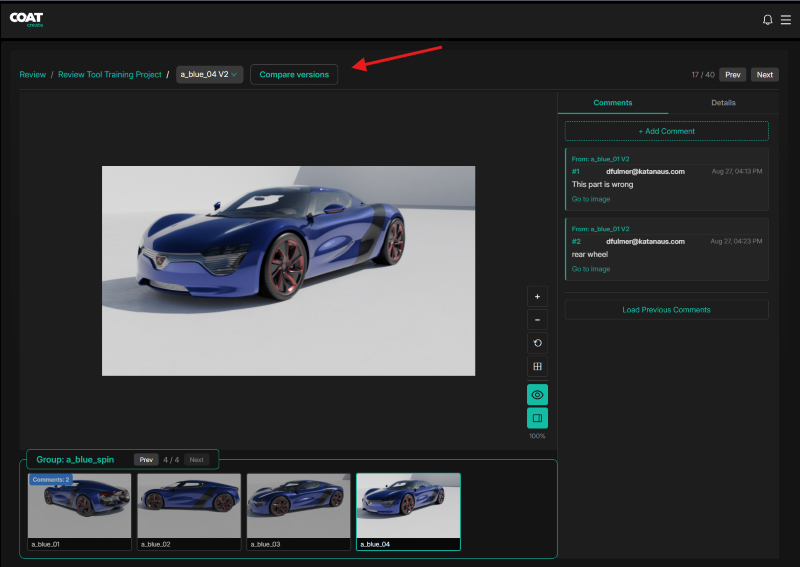
In this view you can move forward or backward in the files by choosing Prev or Next in the upper right hand corner
Click compare to compare 2 rounds of the same file
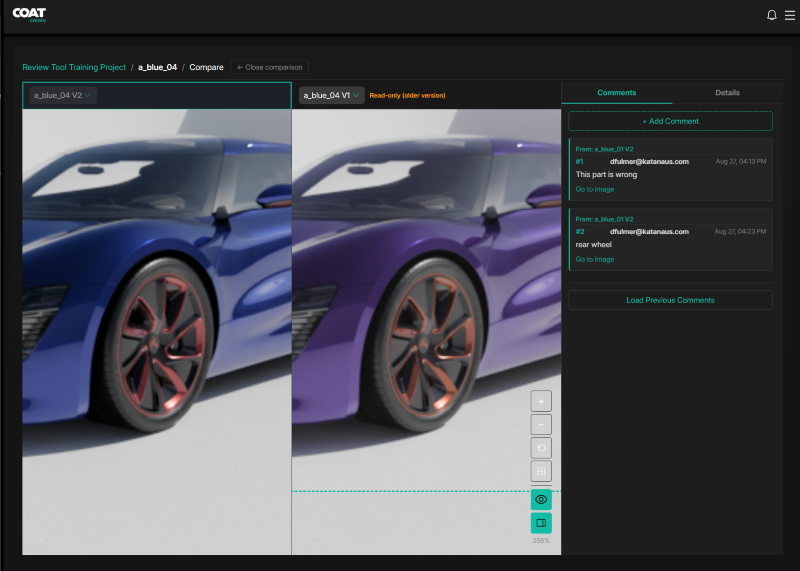
Panning, Zooming are synced between the views to easily investigate changes or confirm a change has been made.
Selecting either version brings the comments up for that version on the right.
View tools are available in the lower right of the view area and sync when comparing rounds.
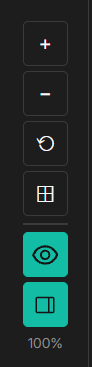
In order from top to bottom:
- zoom in
- zoom out
- reset
- fit
- hide / show comments
- toggle ui