Login and Password
Your login and password will be sent to you via separate emails.
Upon your first login, you will be prompted to change your password for security reasons.
If you ever forget your password, you can recover your password from the login screen.

Multi Factor Setup

Open your dashboard either from the login screen or from a session in COATcreate.
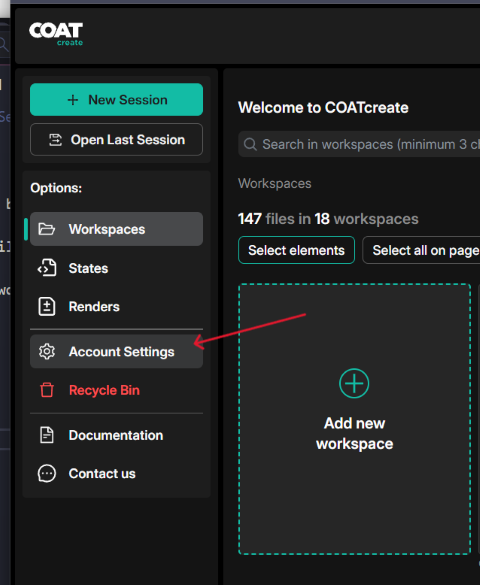
Fronm the Dashboard click on Account Settings. This will open up the account settings page.
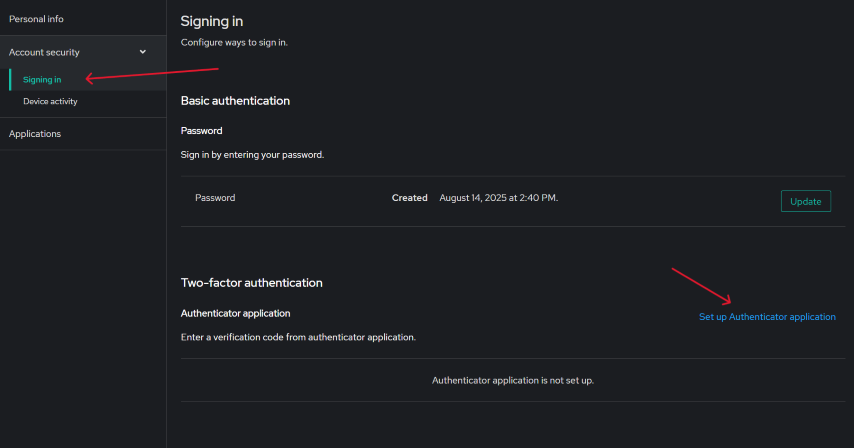
ON the Account Settings page. Open "Account security", and click on "Signing in". Then click on "Set up Authenticator application"
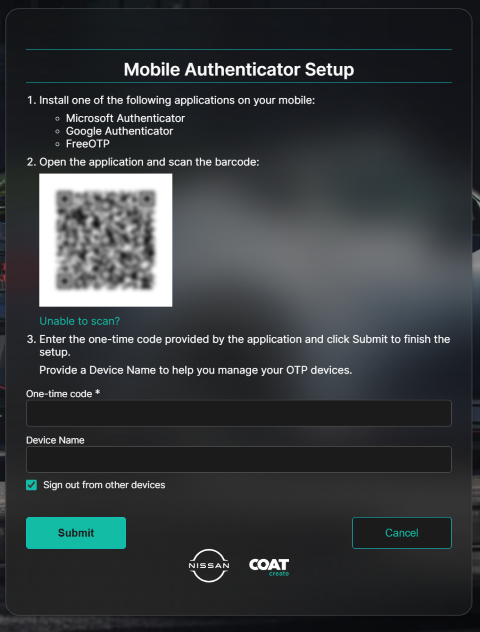
This will open the "Mobile Authenticator Setup" page.
Use your authtication app of choice to scan the QR code.
Enter the code you see in your applicatin.
Name your devices.
Click Submit and you are all done.