Sky Lighting
Sky Lighting
-
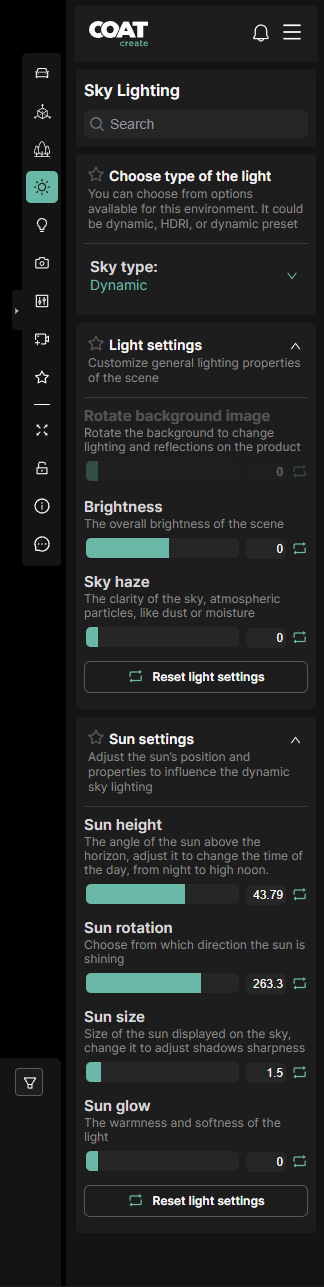
Search - Filters the menus below.
-
Sky Type - Choose the sky type options available for the environment, usually choices include dynamic or hdri.
Light Settings
Override options for the sky type.
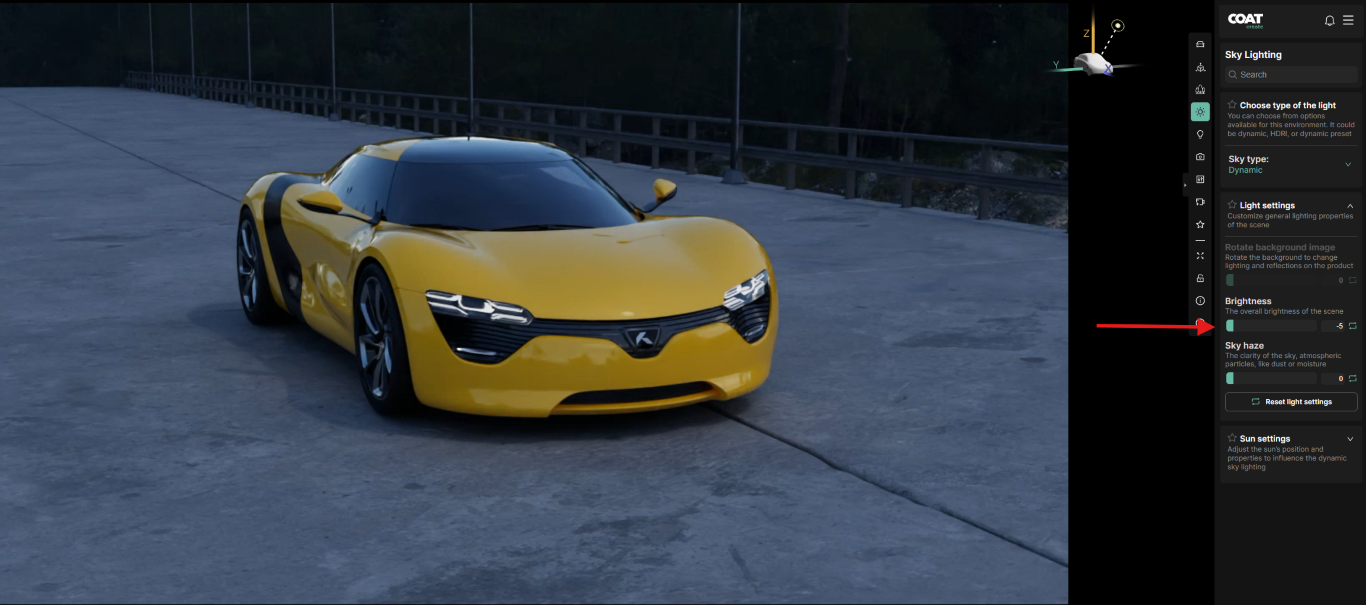
- Brightness - Dims or brightens the sun's contribution to the scene
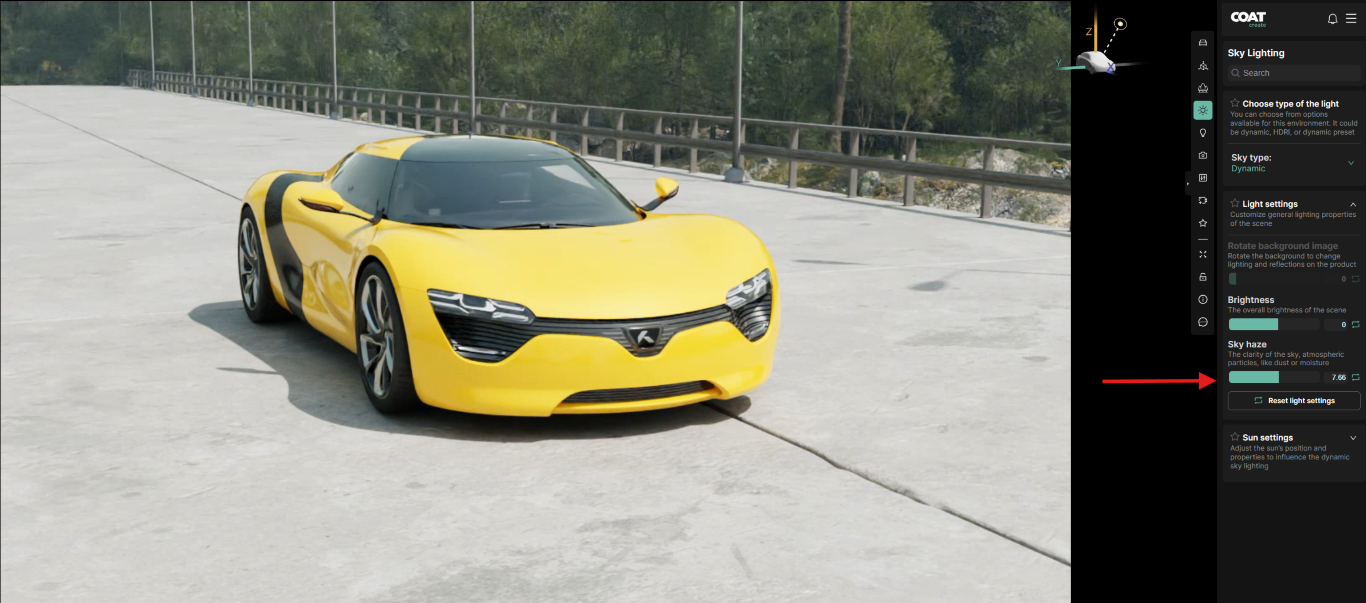
- Sky Haze - Simulates the presence of atmospheric particles such as dust or moisture tends to create a warmer diffused light.
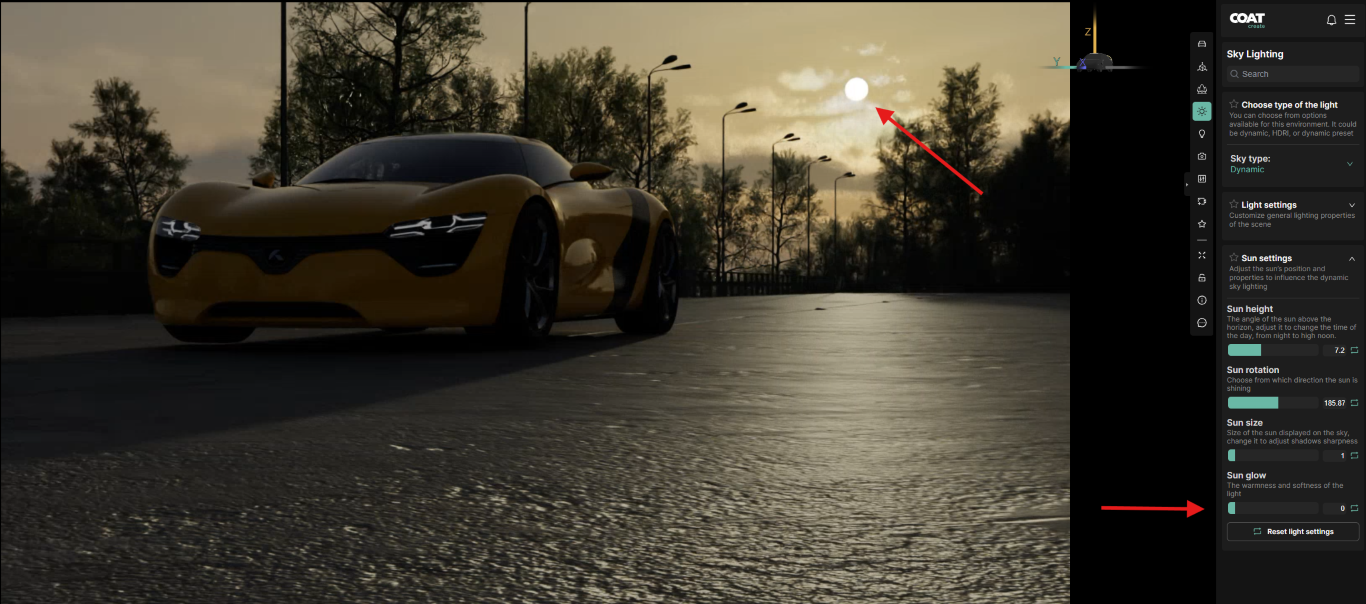
Sun Settings
Adjust the sun’s position, rotations size and glow for dynamic skies.
-
Sun height - Changes the sun's position relative to the horizon, can range from directly overhead (midday) to below the horizon (night).
-
Sun rotation - Changes the sun's position around the scene, changing the direction of direct illumination as well as shadow direction.
When adjusting either of these parameters the small vehicle icon at the top right of the viewport will update to display the sun's position and illumination relative to a stand in vehicle.
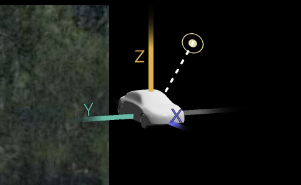
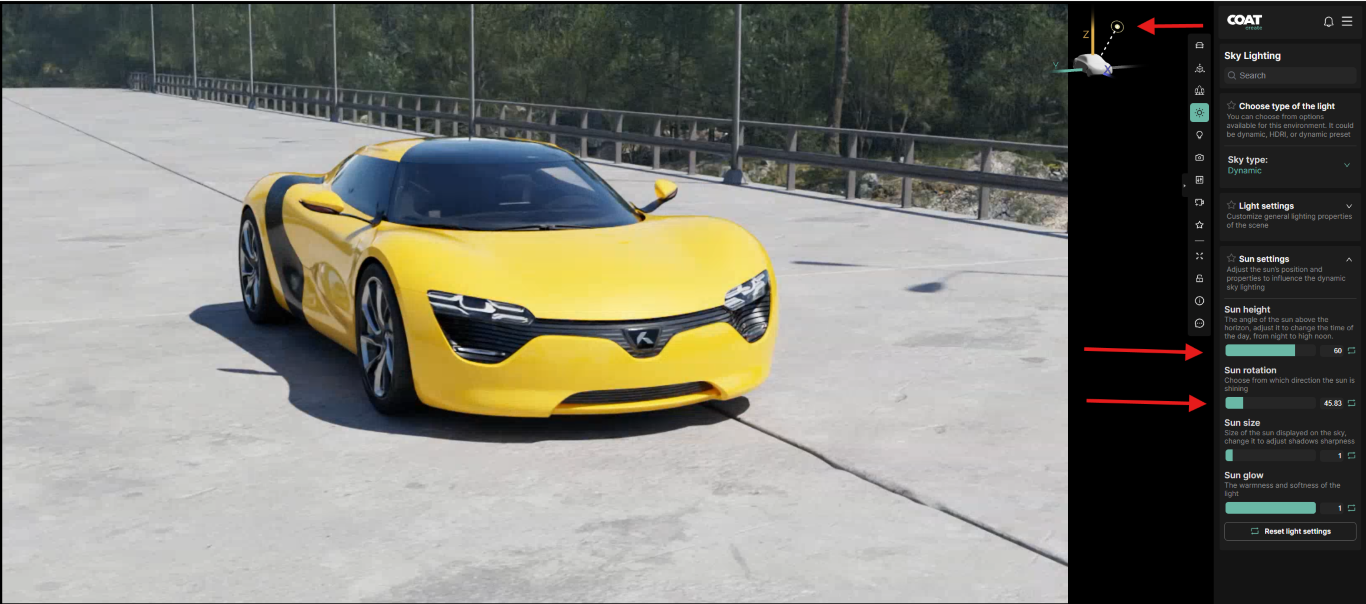
Default position
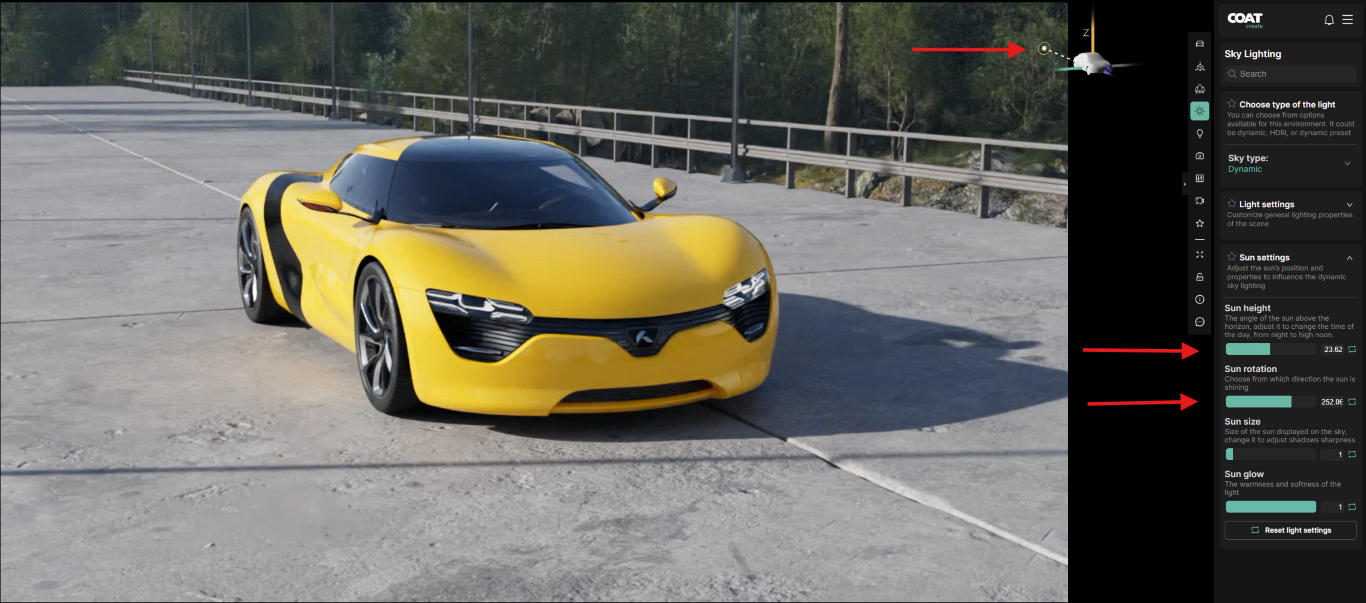
Sun rotated and height lowered slightly
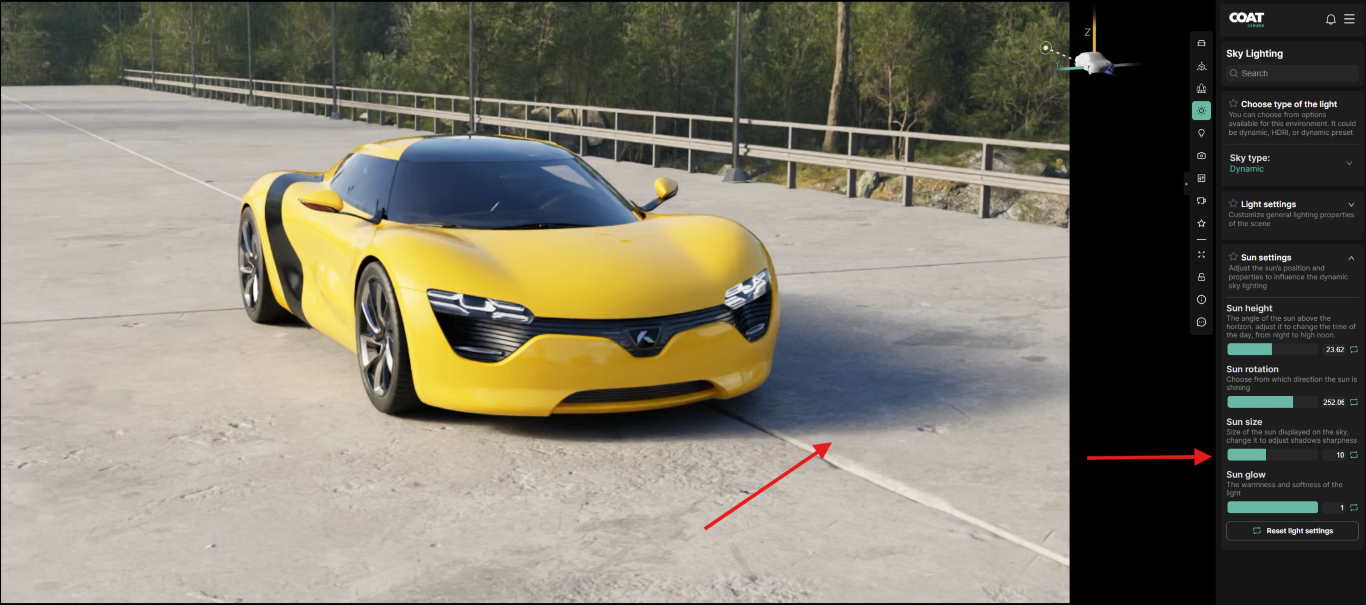
- Sun size - Adjusts the size of the sun relative to the environment, Increaesing the size will both brighten the sun's effect and soften cast shadows. In this example the sun size was increased and it's brightness reduced to maintain a similar overall exposure.
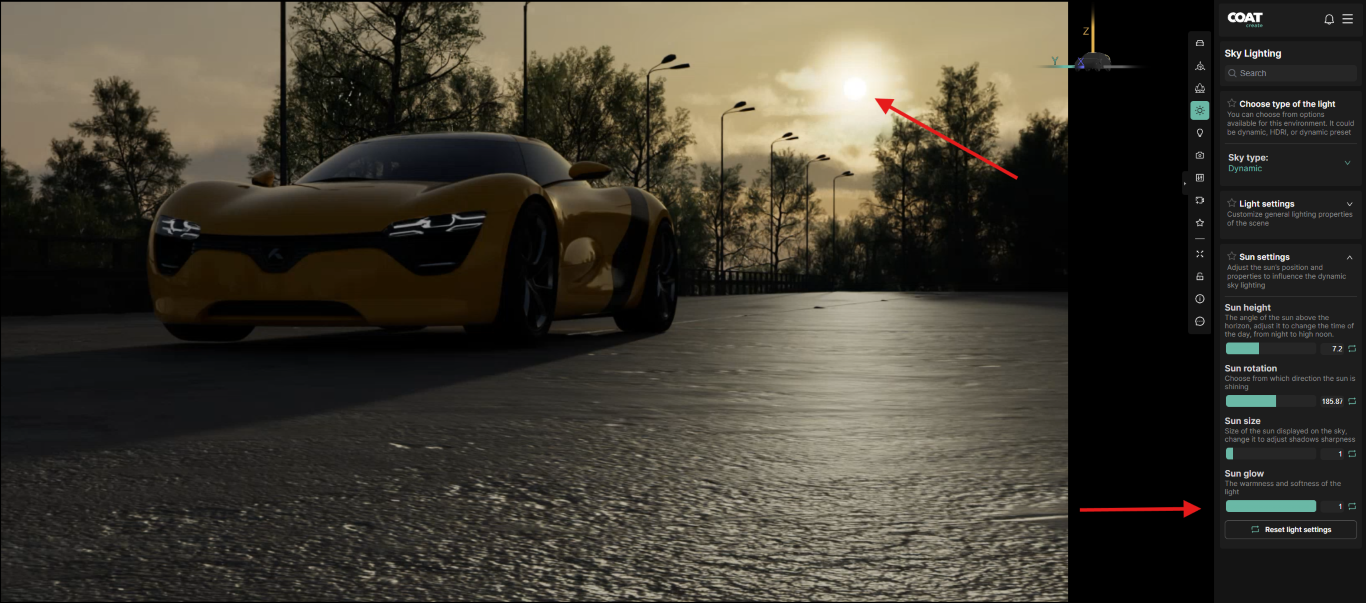
- Sun glow - used when the sun is visible in the background sky. Adjusting this parameter will increase or reduce the glow around the sun as seen in the examples below.
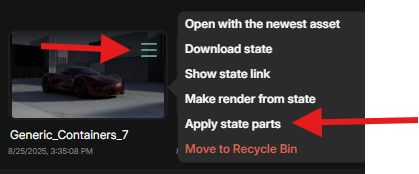
Apply State Parts to copy Sky Lighting information from one state to another
It is possible to transfer Sky Lighting information from a State to the active session by using the Apply State Parts function found in the three bar menu of a State thumbnail.
Click on the three bar menu of the State you would like to apply the Sky Lighting from and choose Apply State Parts option.

You will be presented with a menu of options
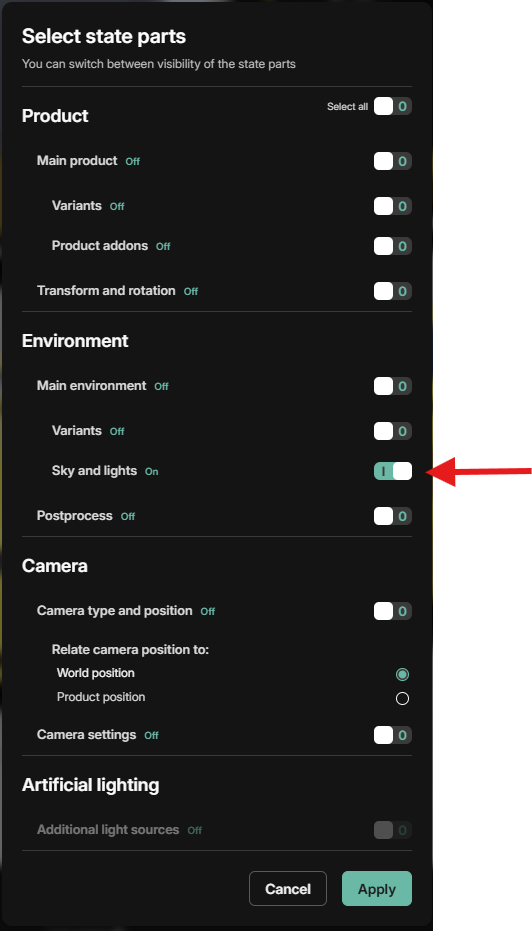
Choose Sky and Lights from the menu and click Apply
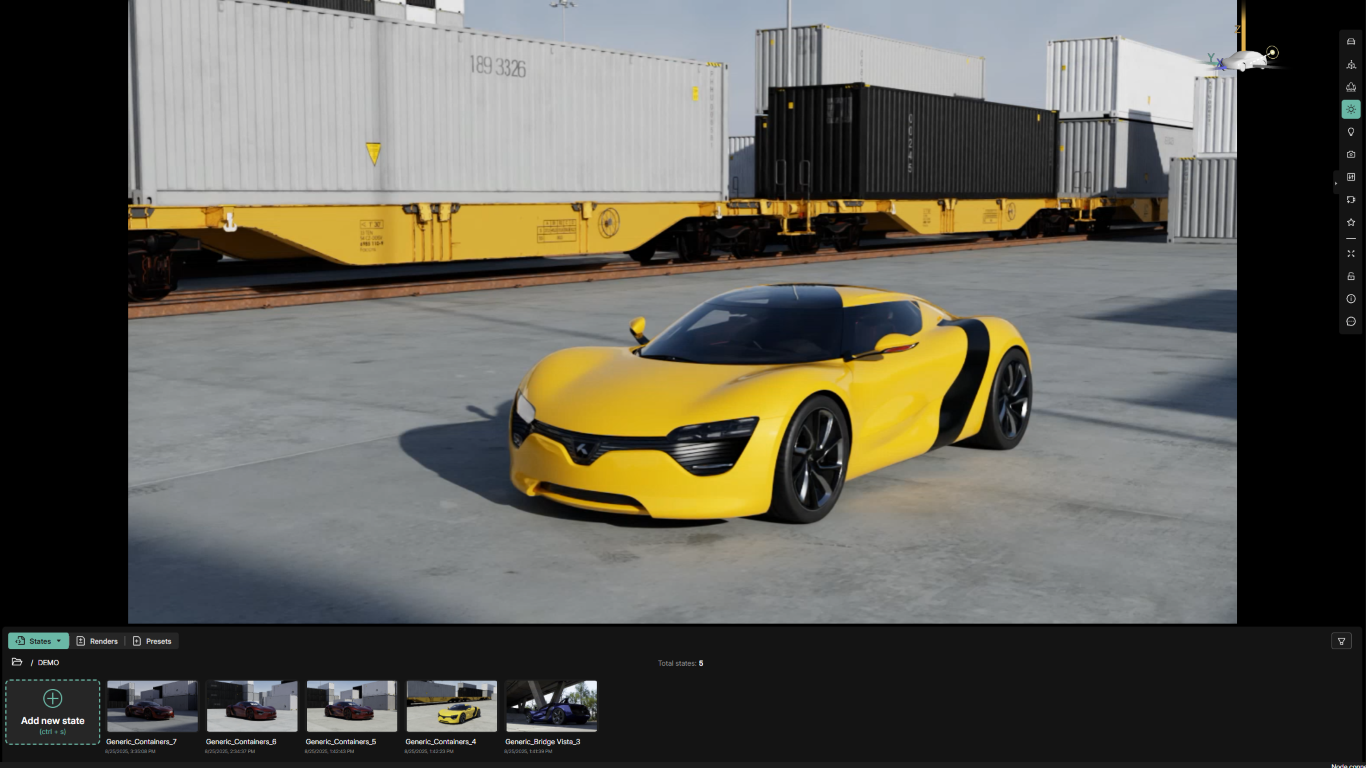
The result will be the Sky Lighting information being transferred from the desired State to the current Working Session.