Post Process settings
-
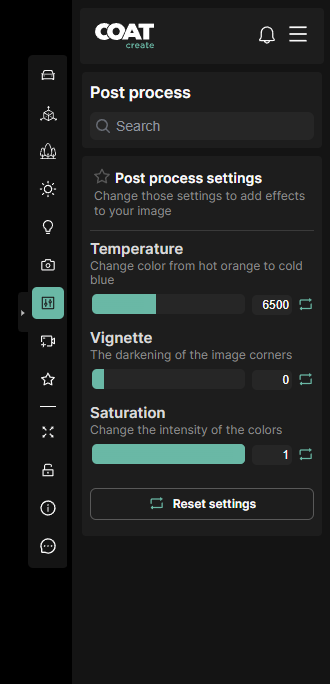
Temperature - Warms or cools the image based off the kelvin scale, use this to correct for sunlight color.
-
Vignette - Darken the edges of the image corners.
-
Saturation - Reduce saturation of color interactively all the way down to black and white.
Open Color IO
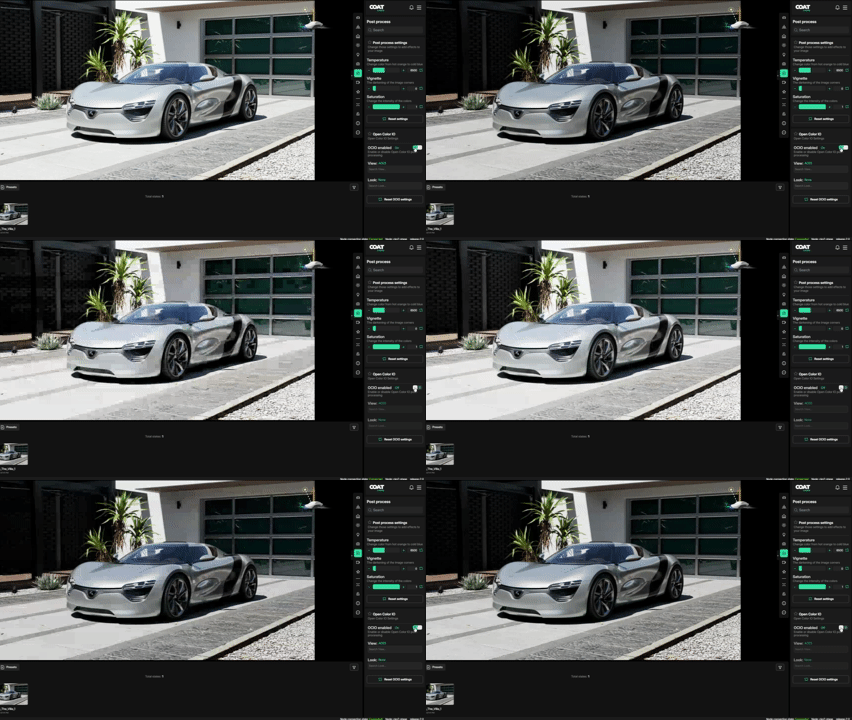
Open Color IO, also known as OCIO, is the industry standard for implmenting color managment. This allows COATcreate to use ACES color settings.
-
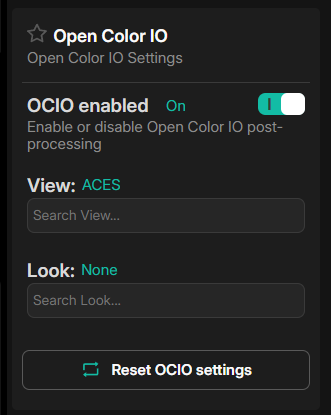
OCIO enabled - Toggle on and off OCIO settings. On will be the new default moving forward. Any previous states and renders will use off to match previous working states.
-
View - The output display tranform from the linear rendering space to view on your display/
-
Look - Post process styles that can be applied. This will be visible in streaming and in the final render.
Color Grading
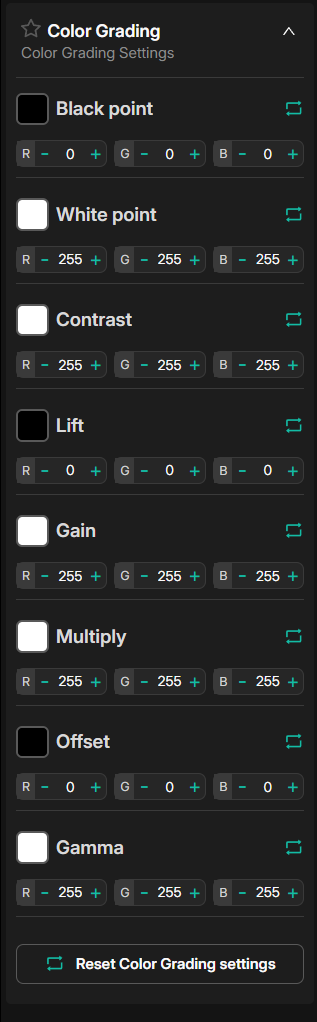
Post process the overall color of the image. Small adjustments can help imporove imgages not possible with lighting or camera effects.
-
Black Point - Defines the darkest value, anything darker will be clipped to black
-
White Point - Defines the brightest value, anything brighter will be white.
-
Contrast - Higher values increase the contrast of darks/lights and colors.
-
Lift - Raise all lower color values.
-
Gain - Define the maxium value.
-
Multiply - All color values mulitplied by value.
-
Offset - Shift all color values
-
Gamma - Adjust the mid tone value.