Pose a Car
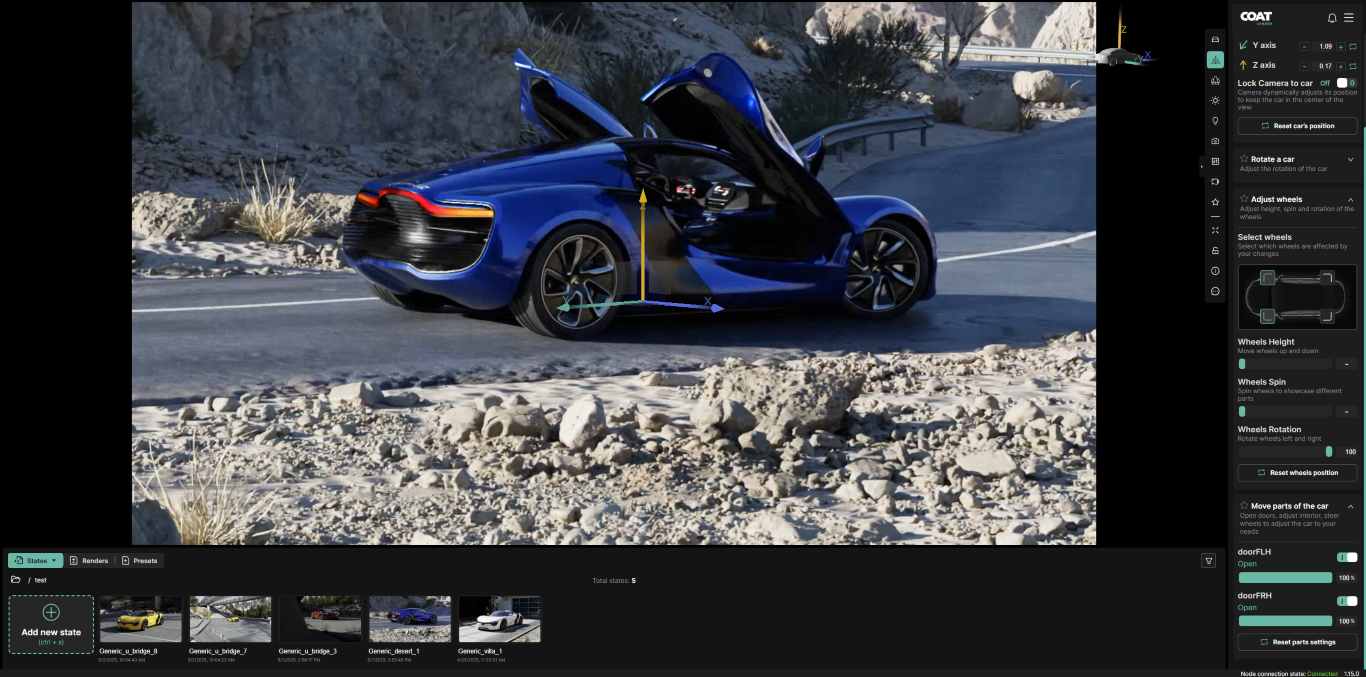
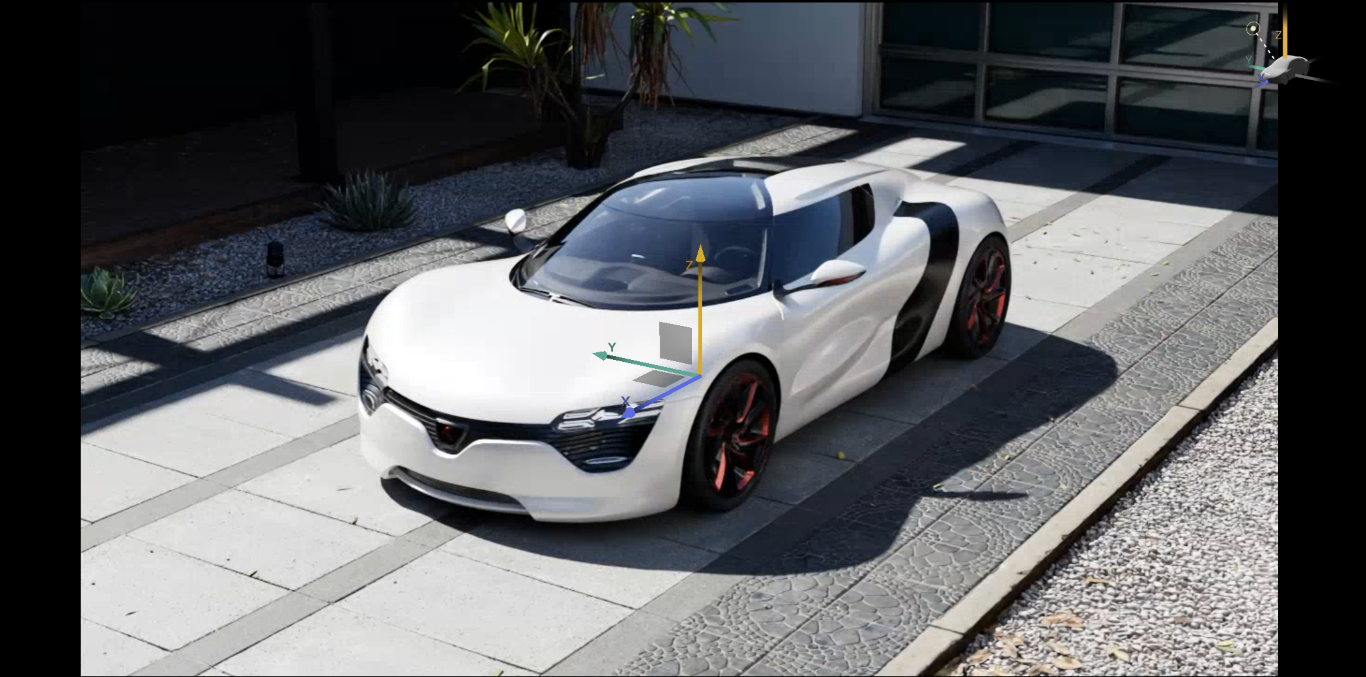
Opening this menu shows the transform gizmo for the product
- Search - Filters the list of options below, either the top level like "Rotate" or specific animations like "door"
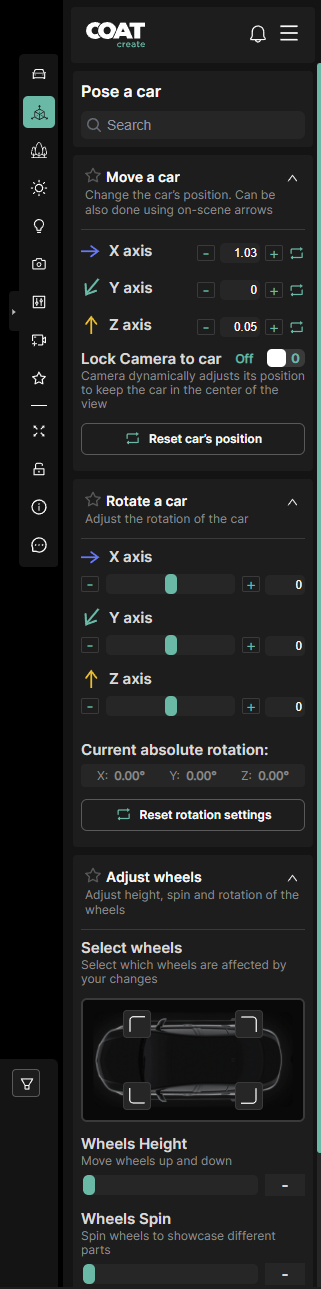
Move a car
To move the vehicle along a single axis, click and drag its colored arrow in the viewport. To move it along two axes at once, click and drag the gray square between two arrows.
For more precise positioning, use the numeric input fields in the menu roll-out. Each input field has a color-coded icon that matches the gizmo in the viewport, making it easier to understand and control movement. There is also the option to reset the vehicle's position.
Lock Camera to Car
When enabled will move the camera along with the car.
Rotate a car
Input fields include a color-coded icon that matches the gizmo orientation in the viewport. To control vehicle rotation, use the numeric options in the menu roll-out. There is also the option to reset all rotations.
Adjust Wheels
Click the wheel icons in the diagram to select the ones you want to adjust. Then, use the sliders to change their rotation, height, or spin.
Move Parts of the car
This panel lists all the car’s animated features, such as doors opening, seat positions, and steering wheel rotation. Each feature has a toggle to turn it on or off, and a slider to adjust it. You can also reset all animations with a single click.